Using OpenCode and Ollama to run a Coding Agent on my local gaming machine
This post details how I set up a self-hosted LLM environment to experiment with local models, specifically running the model gemma4:e2b model via Ollama on my old gaming machine (with a GTX 970).
Setup
- Local LLM Host: I installed Ollama on my dedicated old Windows gaming machine. You can find installation instructions here: ollama.com
- Model Hosting:
gemma4:e2bis running locally through Ollama viaollama run gemma4:e2b(note: I chose this model because it was recommended by another AI that it should work okay-ish with my GTX 970 with 3.5 GB of VRAM available). - Remote Access: I connect from my dev laptop, using
opencode(see opencode.ai) over HTTP, to interact with the locally hosted model via a configuration file set up in~/.config/opencode/opencode.json. This configuration connects to Ollama-remote athttp://<local-ip>:11434/v1and selects the "Gemma4 E2B" model:
{
  "$schema": "https://opencode.ai/config.json",
  "provider": {
    "ollama-remote": {
      "npm": "@ai-sdk/openai-compatible",
      "name": "Ollama-remote",
      "options": {
        "baseURL": "http://<local-ip>:11434/v1"
      },
      "models": {
        "gemma4:e2b": {
          "name": "Gemma4 E2B"
        }
      }
    }
  }
}
- Prompt away: I started
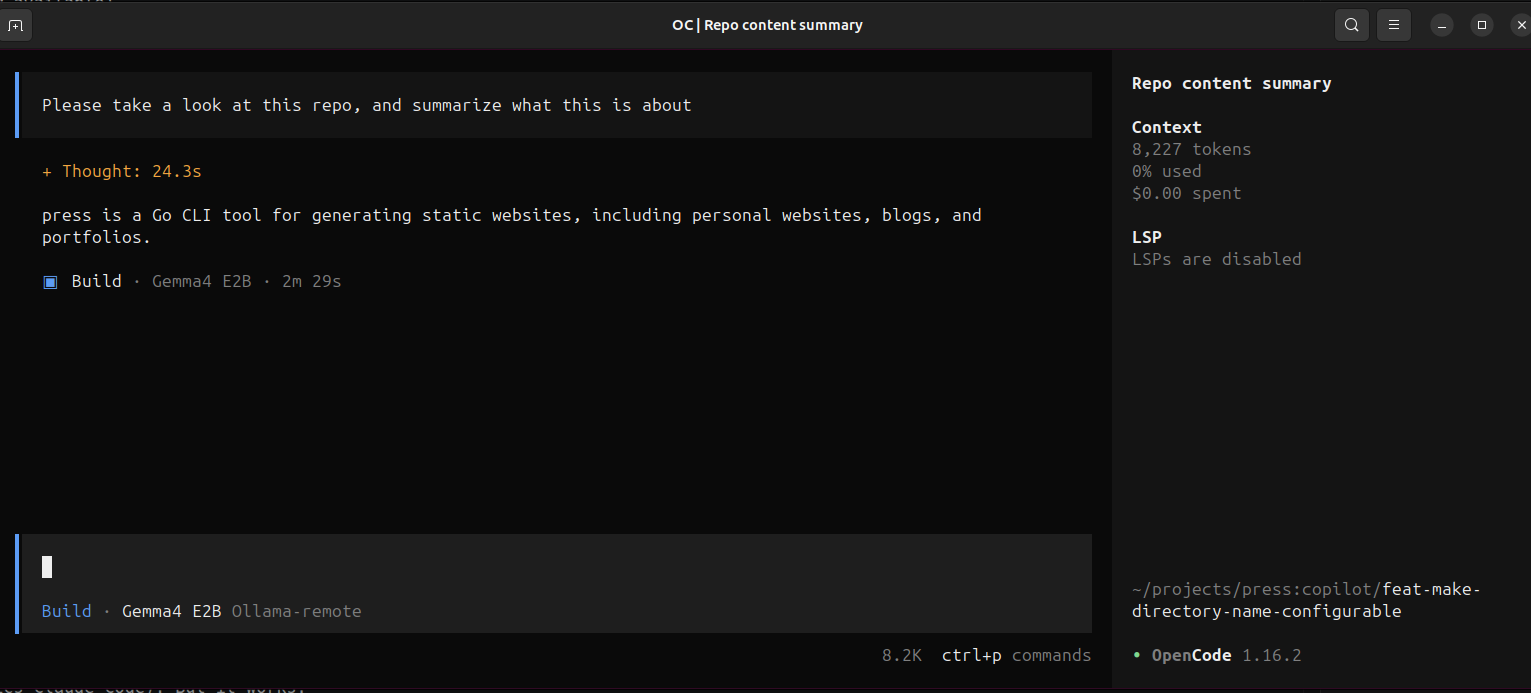
opencode, typed/modelsto select my Gemma4 E2B model, and then I prompted away.
Results
Well, my mind was not blown. Anyone with some experience in running local LLMs would probably have told me that my GTX 970 is not good enough. It takes ages for a response to be generated (compared to GitHub Copilot and Anthropics Claude Code). But it works.
Conclusion
I need a better Graphics Card, if I want to continue on digging this rabbit hole.